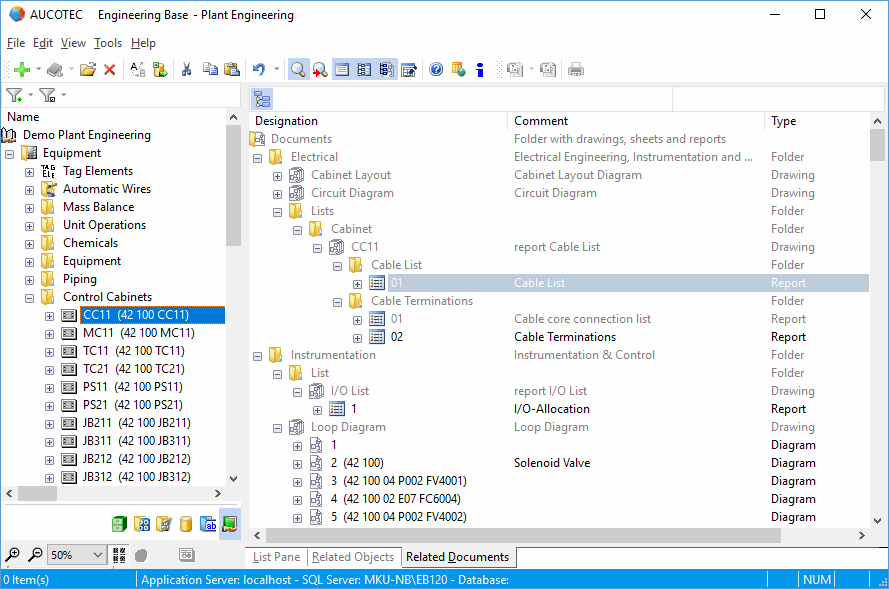
Related Documents
In addition to the three views List Pane, Related Objects and Attributes List, Engineering Base offers the option to display all documents associated with the start object by means of the view Related Documents. This allows for a quick and efficient search for documents.
Functions of the Related Documents tab
- Display of all documents associated with the start object.
- Display of the associated documents in the hierarchic structure of the Documents folder. Higher-order and sibling objects are shown in gray.
- Possible start objects are the Equipment, Systems, Areas and Documents folders and the objects in these folders.
To activate and deactivate the Related Documents view
- In the View menu, click Related Documents or the icon on the toolbar.
- The Related Documents view is shown on the Related Documents tab. With the standard settings, the hierarchic structure with the sibling objects of the documents is shown.
- Click to activate or deactivate the display of the sibling documents.