Inserting a hyperlink
In Engineering Base, you can link additional information that you do not want to store in Engineering Base with a project, equipment and functions.
To create a hyperlink
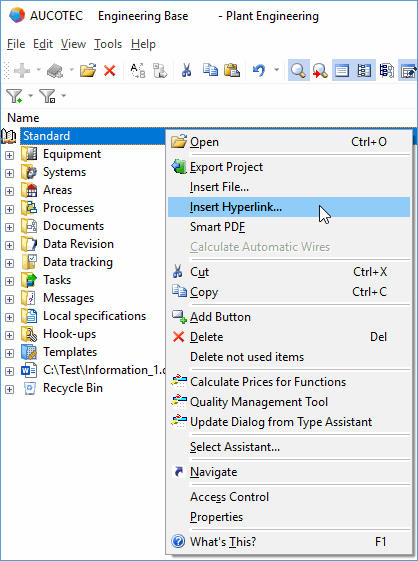
- In the navigation pane, select the object (e.g. project) in which you want to insert a file.
- On the shortcut menu, click Insert Hyperlink.
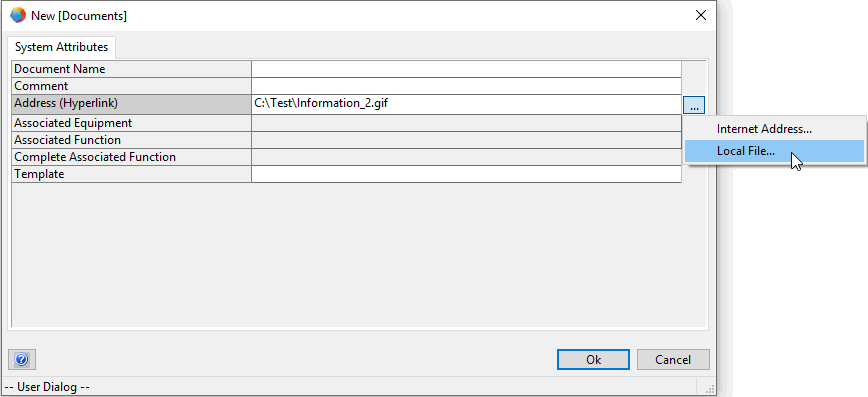
- In the New [Documents] dialog, complete the information as required.
Enter the address of the hyperlink directly into the Address (Hyperlink) attribute or use the button: - to open your internet browser via the field Internet Address. You can then copy the requested internet address to the Address (Hyperlink) attribute.
- to select a local file via the field Local File and a subsequent file selection dialog.
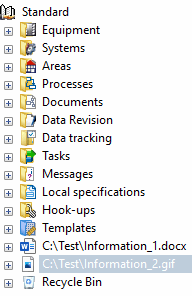
- In the navigation pane, the hyperlink is shown underneath the respective object.