Inserting a file
In Engineering Base, you can insert additional information that you do not want to store in Engineering Base in a project, equipment or function.
To insert a file
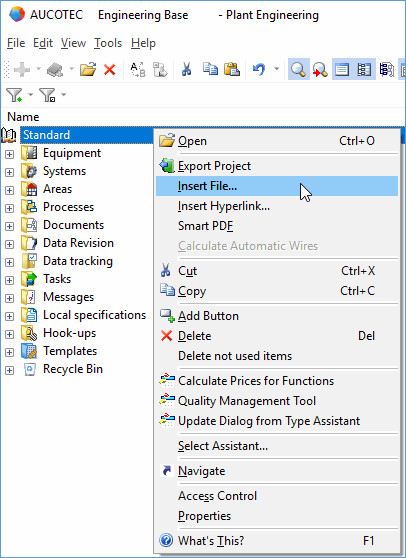
- In the navigation pane, select the object (e.g. project) in which you want to save a file.
- On the shortcut menu, click Insert File.
- In the file selection dialog, select the required file and click Open.
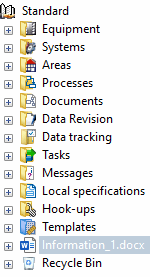
- The inserted file is shown in the navigation pane underneath the respective object.