Commenting Attributes
Engineering Base allows you to store comments on attributes in the database.
To comment attributes
- Click the database and select Properties on the shortcut menu.
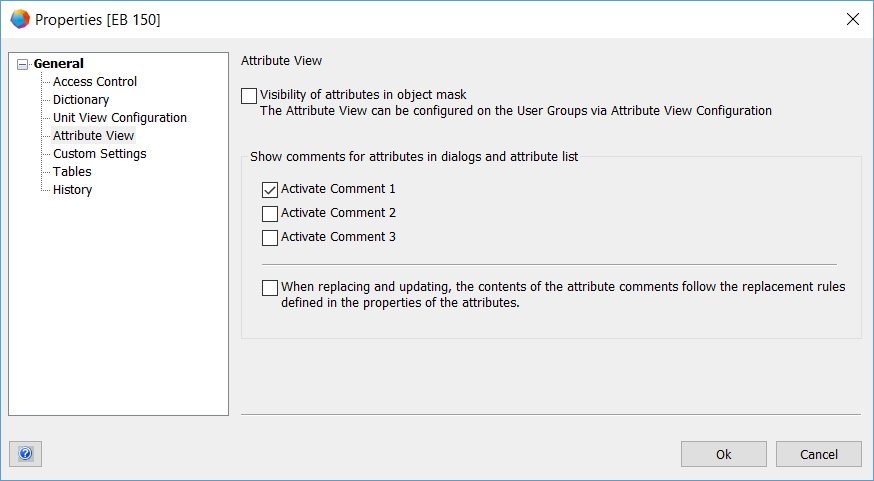
- In the Properties dialog, click the node General/Attribute View.
- Select the options Activate Comment 1 ... 3 under Show comments for attributes in dialogs and attribute list, depending on how many comment fields you want to display in dialogs and in the attributes list.
- Restart Engineering Base.
- After the restart, two to four columns are displayed for every attribute in the attributes list and in dialogs. The first column is used to enter values, and the additional columns are used to enter comments.
The width of the columns is split evenly among the displayed columns (Attribute, Comment 1, Comment 2, Comment 3).
Using the Select Attribute attribute selection dialog, you can display attribute comments in a text block both in the symbol design and on editing drawings.
The comment columns are not available for project and folder attributes.