Changing the display of device associations in the navigation pane
In Engineering Base, you can change the display of device associations in the navigation pane. Instead of displaying the unit at the first position, e.g. +D0 BJA05 GS101 –K01, the device designation can be displayed first, in this example –K01 (+D0 BJA05 GS101). To enable this option, the respective database property has to be adjusted first.
To modify the display of device associations
- Click the database and select Properties on the shortcut menu.
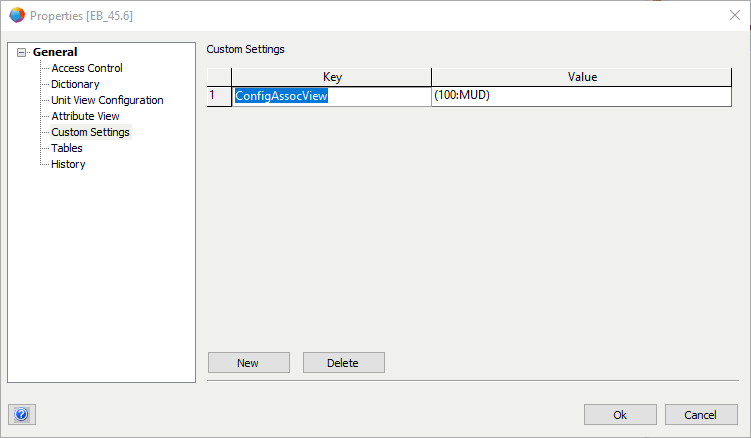
- In the Properties dialog, click the node Custom Settings.
- Enter ConfigAssocView in field Key.
- Enter (100:MUD) in field Value and confirm by clicking OK.
- From now on, the devices are displayed at the first position of device associations.
For the changes to take effect, you have to restart Engineering Base.