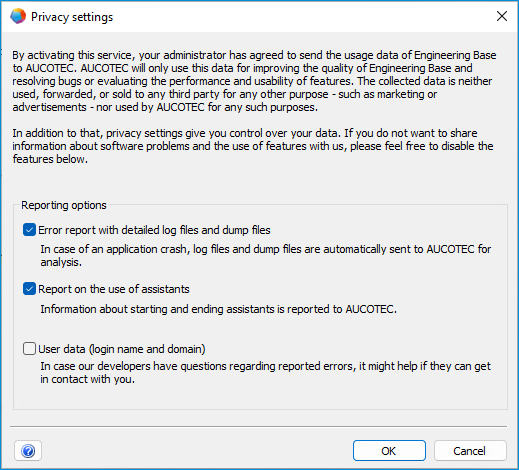
Privacy settings
With version 2025, the Sentry error monitoring platform has been integrated into Engineering Base. Sentry makes it possible to send error reports and mini dumps (unhandled exceptions) automatically and without user interaction to AUCOTEC for further analysis. The previous, cumbersome process of requesting log files and information about what the user was doing before the error occurred in most cases is therefore no longer necessary.
Information on which data is collected can be found in the Administrator Guide.
To open the privacy settings
- On the Tools menu, click Privacy settings.
- Activate the required options in the dialog:
Option
Meaning
Error report with detailed log files and dump files
If Engineering Base crashes, log files and dump files are sent to AUCOTEC to analyze the error.
Report on the use of assistants
Information about starting and ending assistants is reported to AUCOTEC.
This option can only be activated if you have previously activated the Error report with detailed log files and dump files option.
User data (Login name and domain)
User information is transmitted so that AUCOTEC can make specific enquiries if there are any questions concerning logged errors.
This option can only be activated if you have previously activated the Error report with detailed log files and dump files option.
- Confirm by clicking OK.