Engineering Base User Guide
Engineering Base is the cooperative solution to plan electrical plants, process control plants and Mobility. Thus, Engineering Base offers you a wide range of solutions.
Find out here how you can access the User Guide online using different methods to directly access the information you need.
You need access to the internet to open the User Guide.
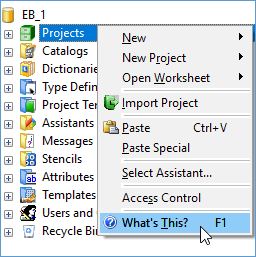
To start the Guide for selected objects
- Select an object in the navigation pane.
- Click F1.
Alternatively, right-click and select What’s This? on the shortcut menu.
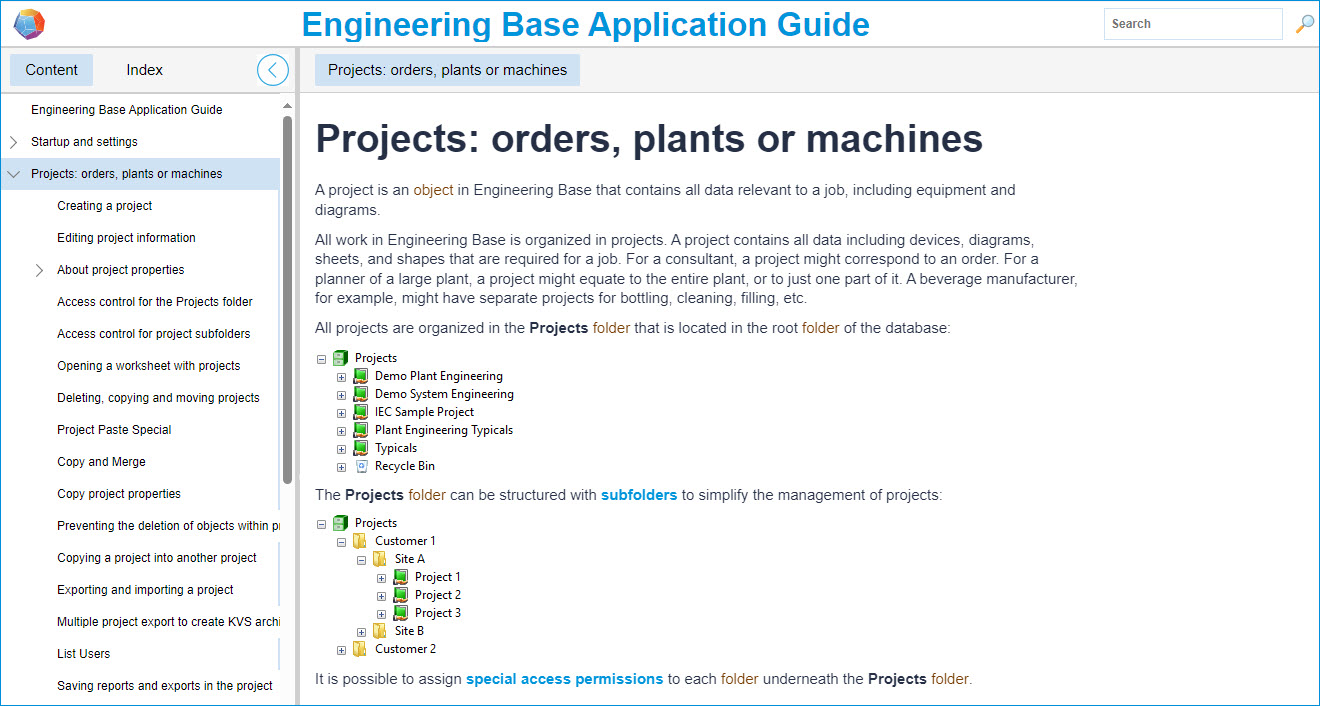
- This opens the page on the selected object.
Many messages and dialogs display the button. You can click it to view the information page on the respective topic.

To open the User Guide for assistants
For all standard assistants, a section is available in the User Guide. You can start the Guide anytime. Even if there is no help button available in the dialog of an assistant, you can press the F1 key to view the information page.
- Start the assistant and press the F1 key on your keyboard.
- This opens the information page.
To access the start page of the Engineering Base Guides
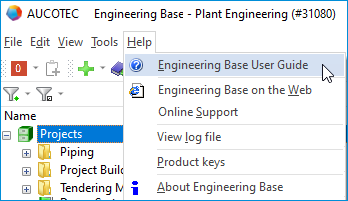
- Call the start page of the User Guide by clicking the menu item Help/ Engineering Base User Guide on the Engineering Base menu.
Alternatively, you can access the Guide from anywhere within Engineering Base by clicking the function key F1.
- This opens the start page of the User Guide.
Find out here how to ideally navigate, search and browse the different views.