Creating an association
In the navigation pane, you can create associations in several ways.
To create an association via drag and drop
- Select the object in the navigation pane, drag the object while holding down the left mouse button and press the Alt key while dragging the object.
- The cursor changes while hovering over an object that can be associated:
- Release the mouse button to create the association.
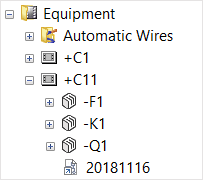
- This creates the association. In the example, a sheet was associated with a unit.

To create an association by holding down the right mouse button
- Select the object in the navigation pane and drag the object by holding down the right mouse button.
- The cursor changes while hovering over an object that can be associated:
- Release the mouse button and select New association on the context menu.
- This creates the association.

To create an association via the context menu
- Select the object in the navigation pane and click Copy on the context menu.
- Select an object that can be associated and click Paste association on the context menu.
- This creates the association.