1.1.6 New Tree Functionality: Reset to Default Colours
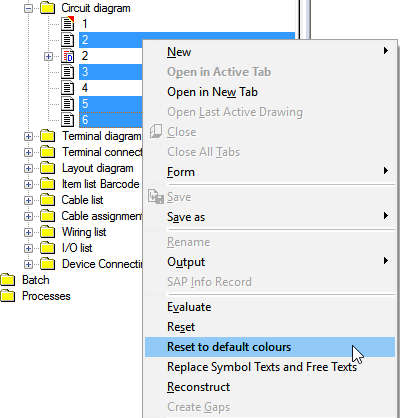
In ELCAD/AUCOPLAN 2018, you may undo your individual colour assignments and reset the drawings to the default colours via the context menu of the right mouse button in the drawings tree. Resetting the colours will once again enable the ELCAD default colours.
This action can be carried out on individual drawings, folders or marked drawings.