to create a new item group.
2.2.1 Definition of the Item Groups
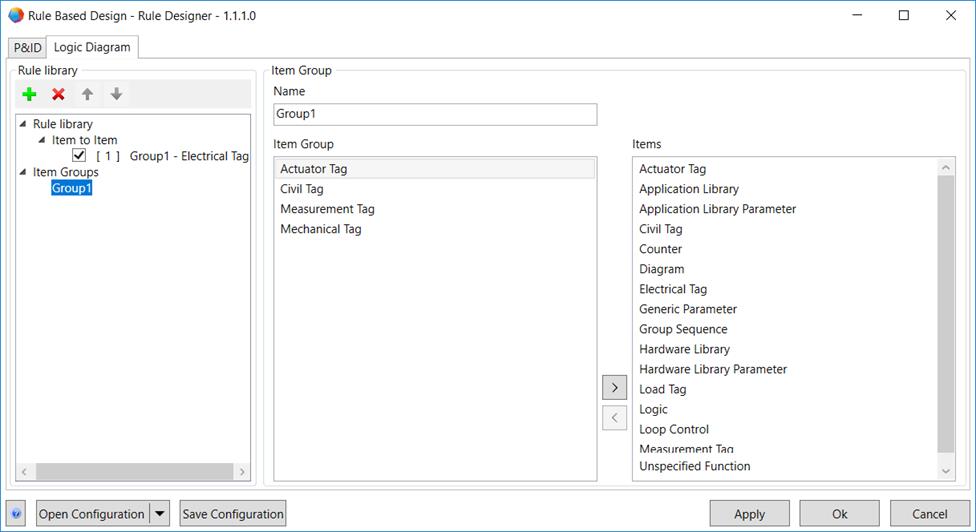
Under Item Groups, you can group function types into various item groups. For these item groups, you can then create rules in the rule library.
Definition of a new item group
1. Mark Item Groups or an already defined item group.
2. Click to create a new item group.
3. In section Item Group, enter the name of the new item group into the Name field.
4. In the Items table, mark an item and click  to allocate it to the Item Group table.
The items in the item group table are sorted alphanumerically.
To remove an item from the item group, mark the item and click  .
.