|
|
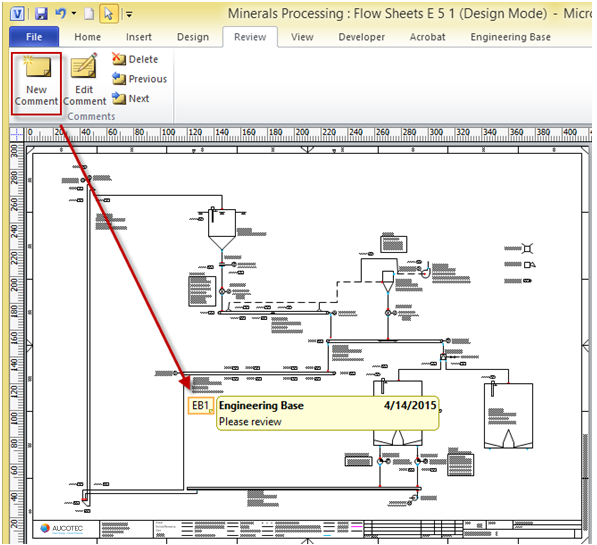
3.12.1 Writing Comments in Visio
Visio comments are usually used to insert review and markup notes about the contents of a drawing. Comments can be inserted anywhere on a Visio page.
How to add a comment on the flow sheet
1. On the Review menu click Comment.
2. Type a comment of any length, and then click outside the comment text box.
3. Do any of the following:
· To view the comment text, click the comment tag.
· To reposition a comment, click the comment tag, and then drag it to another location.
· To edit or delete a comment, right-click the comment tag, and then click Edit Comment or Delete Comment.
· On standard Visio (but not EB Visio): To change the name or initials used within the comments, on Tools menu click Options, General tab and on User information type the name and initials to be used.
|
|
|
|